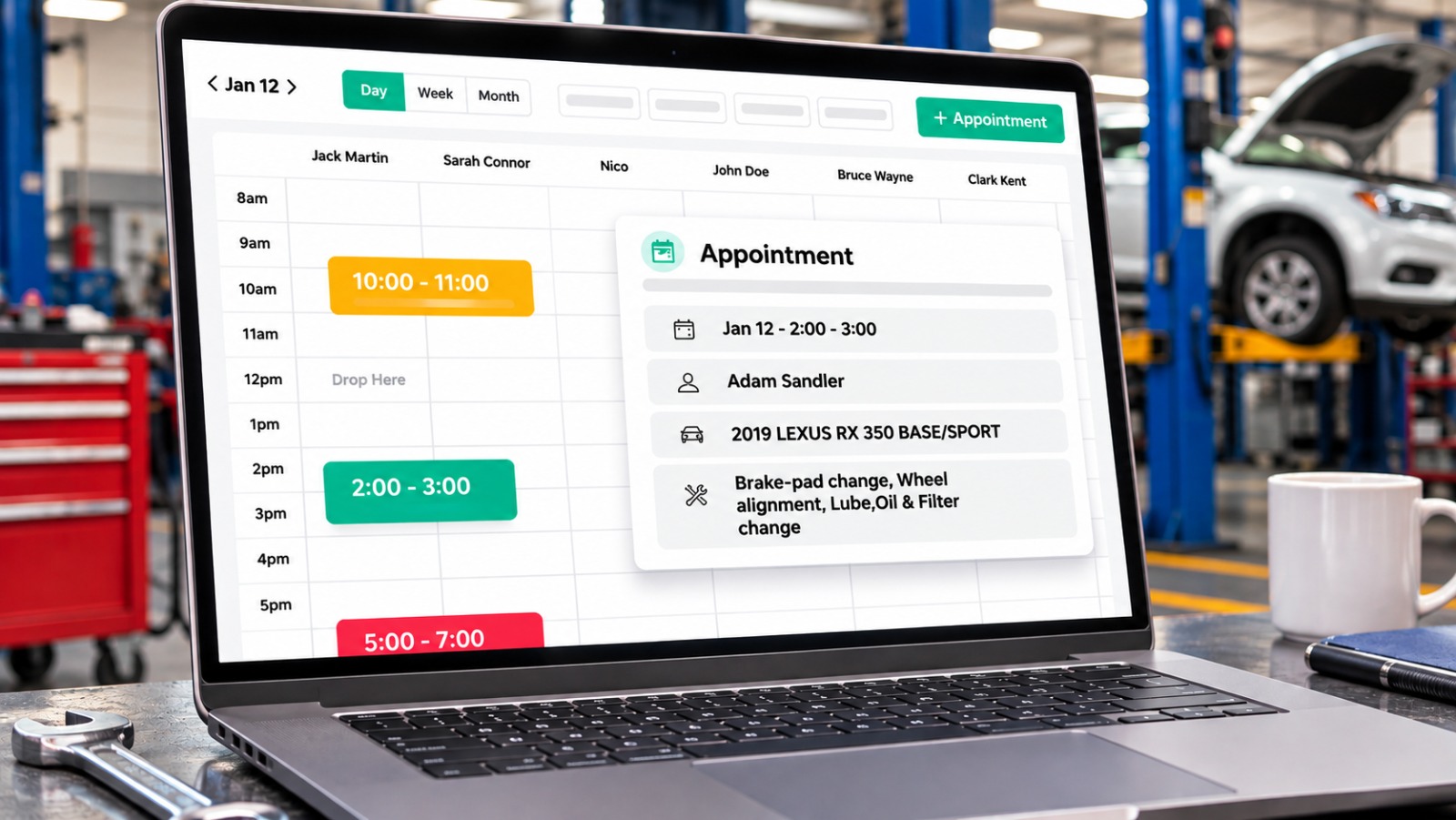

Getting appointment bookings is important for auto repair shops, but turning those bookings into completed repair jobs requires proper planning and follow-up. When customers call to schedule services, employees need to collect vehicle details, understand the requested work, and find a suitable time based on technician availability. Managing these details through phone calls, paper calendars, or spreadsheets can lead to missed appointments, scheduling conflicts, and incomplete customer information. Automotive Scheduling Software helps repair shops organize incoming bookings, customer details, vehicle information, and service requests in one place. This makes it easier for service advisors to prepare for upcoming appointments and ensure customers receive the services they need when they arrive.
Why Is Automotive Scheduling Software Important for Auto Shops?
Auto repair shops often receive multiple appointment requests for different services throughout the day. Managing every booking manually can make it difficult to keep track of available time slots, technician workloads, and service bay capacity. Scheduling software gives employees a clear view of upcoming appointments, helping them organize daily work and avoid overlapping bookings. It also makes it easier to update appointment details when customers request changes. With customer and vehicle information available alongside booking records, service advisors can prepare for visits more efficiently and keep the shop’s schedule organized.
How Can Scheduling Software Help Convert Bookings into Repair Jobs?
When a customer schedules an appointment, service advisors can record the vehicle information, requested repairs, and preferred visit time. They can also review the shop’s available service bays and technician schedules before confirming the booking. For example, if a customer requests brake servicing, the advisor can reserve an appropriate time slot and prepare the necessary job details before the vehicle arrives. Auto repair scheduling software can also help send appointment confirmations and reminders through SMS or email, reducing the chances of customers forgetting their scheduled visits. If a customer cancels or changes an appointment, employees can update the schedule and offer the available slot to another customer. This helps shops manage bookings more effectively and prepare for incoming repair work.
Features to Look For in Automotive Scheduling Software
When choosing scheduling software, shop owners should consider auto repair shop scheduling software features that make appointment management easier for both employees and customers.
- Online Appointment Booking: Allows customers to request service appointments without calling the shop.
- Technician Availability: Helps employees assign appointments according to available technicians.
- Service Bay Scheduling: Makes it easier to organize repair work based on available workshop space.
- Appointment Reminders: Sends SMS or email reminders to help customers remember their scheduled visits.
- Customer and Vehicle Records: Keeps contact information and vehicle details connected with appointments.
- Schedule Updates: Allows employees to manage cancellations, rescheduling, and available time slots.
How Can Auto Repair Shops Prepare for Scheduled Customers?
Once an appointment is confirmed, service advisors can review upcoming bookings and prepare customer records, vehicle details, and reported problems before check-in. When the vehicle arrives, employees can perform inspections, document repair findings, and prepare estimates based on the required work. Customers can review the estimates and approve recommended repairs before technicians begin the job. Auto repair shop management software can connect these activities with customer records and repair orders, helping employees manage service information without repeatedly entering the same details. Torque360 brings appointment scheduling, digital inspections, estimates, repair orders, and invoicing together, helping automotive businesses organize customer visits and manage repair jobs through a connected workflow.
What Happens After a Booking Is Confirmed in the System?
After the booking is saved, employees can use the system to keep track of its status and any changes before the customer’s visit. If the customer needs to reschedule, staff can update the appointment details and check the revised time against the shop’s availability. Once the customer arrives, employees can mark the vehicle as checked in and update the appointment record as it moves into the repair process. After the work is completed, the team can update the job status and inform the customer when the vehicle is ready for pickup. Maintaining these updates helps employees keep appointment records current and gives the shop a clearer view of each customer’s visit.
Wrapping Up
Turning bookings into repairs requires more than filling appointment slots. Organized scheduling, customer reminders, vehicle information, and timely estimates help shops prepare for incoming work and keep customers informed. With Torque360, automotive businesses can connect appointments with inspections, estimates, and repair orders, making it easier to manage customer bookings from arrival to completed service.